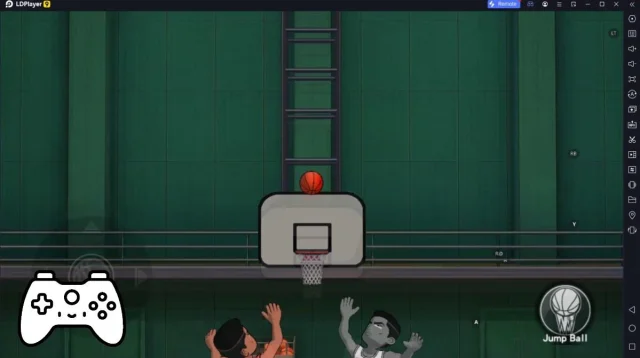
Scoreboard Basketball هي لعبة رياضة تم تطويرها بواسطة oootaiji، المحاكي LDPlayer هو أفضل محاكي للعب Scoreboard Basketball على جهاز كمبيوتر يشغل بنظام Windows. يمكنه توفير ميزات قوية لمساعدتك في الحصول على تجربة ألعاب غامرة في لعبة Scoreboard Basketball.
عندما تلعب Scoreboard Basketball على جهاز الكمبيوتر الخاص بك، تسمح لك الشاشة الأكبر وأداء الرسومات الأقوى بالاستمتاع برسومات اللعبة الأكثر وضوحًا وسلاسة، مما يؤدي إلى تحسين تجربة اللعبة الغامرة والمرئية.
تحاكي طرق التحكم في الأجهزة الخارجية مثل لوحة الألعاب أو غيرها أكثر الشعور بالرياضة الحقيقية، مما يوفر تحكمًا أكثر دقة وأكثر خيارات.
بالإضافة إلى ذلك، إذا كنت ترغب في تحقيق سلسلة من التحركات المتتالية بخطوة واحدة، فإن وظيفة الماكرو الواحدة ستكون الميزة التي تحلم بها، حيث يتيح لك التنفيذ السريع لإجراء سلسلة من الحركات بسهولة. ابدأ الآن في تنزيل ولعب Scoreboard Basketball على الكمبيوتر!
It's scoreboard app for basketball.It is recommended for use in basketball.
Font size is displayed in the full scale of a screen. And buzzer is large volume.
Scoreboard is simple design and easy to use!
How to use Bluetooth:
Please download Scoreboard Remote.
This scoreboard has four display types:
- Simple Mode (Timer & Scores)
- Basketball Mode (Timer & Scores & Shot Clock)
- Shotclock Mode (Timer & Shot Clock)
- Basketref Mode (Scoreboard for a referee)
How change mode(display type):
Menu Button→ Setting→ Select "Mode Change"→ Select a Mode→ Save.
This app is free version:
-Ads
-Bluetooth to connect 1-on-1(Currently, bluetooth to connect 1-on-7 for beta testing)
Web Site:
Homepage - https://sc.oreboard.com
Twitter - https://twitter.com/7peace_com
Facebook - https://www.facebook.com/pages/Scoreboard-app/783128178408649
Features:
* Timer
* Scoreboard
* Shot Clock
* Foul counter
* Timeout counter
* Large font size
* Large volume buzzer
* Support tablet
* Remote control with Bluetooth
Instructions:
-Tap Timer: Start/Stop
-Reset button at bottom: Reset shot clock
-Buzzer button at left: Sound a buzzer
-Edit button at right: To edit mode
-Menu button: To menu lists
-Exit app: Press to the back button and select OK at dialog.
Functions:
-At the start, reset features can not be used.
-Max is 99 minutes 59 seconds.
-Less than 1 minute, the display in 1/10 seconds.
Recommended use
-Basketball
-Referee